

Bridge Your USDT from Ethereum to BNB Chain, Safely and Efficiently
The 'Why' Behind the Bridge: Ethereum vs. BNB Smart Chain
Decentralized finance (DeFi) thrives on cross-chain interoperability. While Ethereum remains the dominant smart contract platform, high network congestion often leads to exorbitant transaction fees, known as gas. These costs frequently render small Tether (USDT) transfers economically unviable.
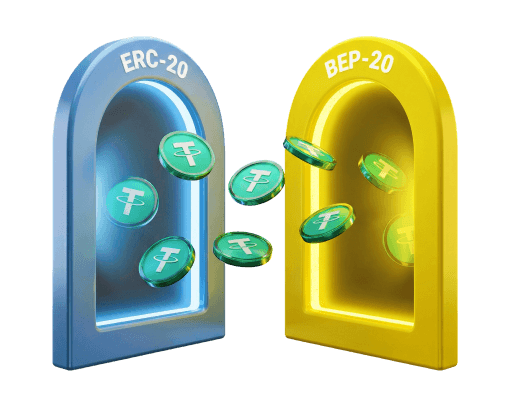
The BNB Smart Chain (BSC) offers a high-throughput alternative with significantly lower fees and faster confirmation times. Moving digital assets between these networks requires understanding token standards. ERC20 is the Ethereum token standard, where network transactions consume ETH. Conversely, BEP20 serves as the BSC standard, utilizing BNB for gas. Bridging your USDT from an ERC20 to a BEP20 format relocates your liquidity to a cost-effective environment, unlocking BSC's expansive decentralized exchange and yield farming ecosystem.
Preparing for Your Cross-Chain Transfer
A seamless token migration requires proper setup. Ensure you have the following prerequisites ready:
- A non-custodial Web3 wallet where you control the private keys, such as MetaMask or Trust Wallet.
- The ERC20 USDT balance you intend to bridge, held within your Ethereum network wallet.
- Sufficient Ether (ETH) to cover the Ethereum mainnet gas fees. Network costs fluctuate based on traffic, so maintaining a buffer is advisable.
- The BNB Smart Chain network configured in your wallet application. You can integrate this via RPC services like Chainlist or by manually entering the blockchain details.
- A base amount of BNB in the destination wallet. You need BNB to process smart contract interactions and token transfers once the USDT arrives on the BSC network.
A Step-by-Step Guide to Using a Cross-Chain Bridge
A blockchain bridge facilitates interoperability by locking the native asset on the source chain and minting a pegged equivalent on the target chain. The core workflow remains consistent across major bridging protocols.
Step 1: Choose a Reputable Bridge
Research and select an audited, high-liquidity cross-chain bridge that explicitly supports USDT transfers from the Ethereum mainnet to the BNB Smart Chain.
Step 2: Connect Your Wallet
Navigate to the chosen bridging application. Click the connect button, select your Web3 wallet provider, and sign the connection request to link your accounts.
Step 3: Configure the Transfer
Select Ethereum as your source network and BNB Smart Chain as your destination. Choose USDT from the token dropdown menu to set the asset.
Step 4: Enter the Amount and Review
Input the exact USDT volume you plan to migrate. The protocol interface will calculate the estimated output on BSC, factoring in liquidity provider and network fees. Verify these metrics before advancing.
Step 5: Approve the Smart Contract
First-time users must grant the bridge protocol permission to access the USDT balance. This initial approval transaction executes on the Ethereum network and incurs a standard ETH gas fee.
Step 6: Confirm the Bridge Transaction
Once the network confirms the approval, initiate the primary bridging function. Your wallet will prompt a final signature displaying the total gas cost. Authorize the transfer to execute the irreversible cross-chain swap.
Your Security Checklist: Transacting with Confidence
Cross-chain token swaps carry inherent security risks. Mistakes are permanent and can result in total asset loss. Implement these safeguards to protect your cryptocurrency portfolio.
Use Official URLs
Verify the decentralized application domain before connecting your wallet. Bookmark official bridge URLs sourced directly from reputable aggregators like CoinGecko or CoinMarketCap to avoid sophisticated phishing vectors.
Confirm Wallet Addresses
Ethereum Virtual Machine (EVM) compatible networks, including Ethereum and BSC, share identical cryptographic address formats. Most bridges default to your connected wallet as the receiving address, significantly reducing the risk of routing funds to an incorrect destination.
Start with a Test Transaction
Before moving substantial liquidity, execute a micro-transaction. Validate that the bridged tokens successfully arrive in your destination wallet. This verification process mitigates protocol risk and confirms your setup.
Manage Smart Contract Approvals
Authorizing token allowances exposes your wallet to potential smart contract vulnerabilities. Regularly audit and revoke unnecessary permissions using block explorer utilities like the Etherscan Token Approval Checker.
Verifying Your Transaction from Start to Finish
Always track your transaction progress post-confirmation. Most bridging applications provide an integrated dashboard or direct links to network scanners.
Tracking on the Ethereum Network
Your wallet generates an initial transaction hash corresponding to the Ethereum mainnet. Enter this hash into Etherscan to monitor the ERC20 USDT interacting with the bridge contract. Wait until the network achieves sufficient block confirmations to mark the transfer successful.
Tracking on the BNB Smart Chain
Following the Ethereum confirmation, the bridge protocol executes a secondary transaction on BSC. Search your receiving public address on BscScan to watch the pegged BEP20 USDT deposit into your account.
Viewing Your Funds in Your Wallet
Web3 wallets do not always display newly bridged assets automatically. Locate the official Binance-Peg USDT smart contract address via a trusted block explorer. Paste this address into your wallet's token import interface to make your newly transferred balance visible.
Conclusion: Embracing Cross-Chain Flexibility
Migrating USDT from Ethereum to the BNB Smart Chain significantly broadens your decentralized finance capabilities. This asset bridging technique allows you to capitalize on Ethereum's robust liquidity while executing frequent trades using the low fee structure of the BNB Chain. Always prioritize security by relying on verified protocol links, meticulously auditing transaction prompts, and executing test transfers. Mastering these cross-chain fundamentals ensures safe navigation across the expanding multi-chain ecosystem.
The information provided in this guide is for educational and informational purposes only. It does not constitute financial or investment advice. Cryptocurrency transactions involve significant risk, and cross-chain bridge protocols can be vulnerable to exploits. Always conduct independent research and consult a certified financial professional before executing digital asset transfers.
Frequently asked questions
-
Why can't I just send my ERC20 USDT directly to my BEP20 address?
Ethereum and BNB Smart Chain are separate, incompatible networks. Sending tokens directly between them without utilizing a cross-chain bridge results in permanent asset loss. A bridge correctly locks the asset on the source chain and issues a pegged equivalent on the destination chain. -
How do I find the correct BEP20 USDT contract address to add to my wallet?
Use a reliable block explorer like BscScan. Search for the official Binance-Peg USDT Token and copy the contract address directly from the verified page to avoid counterfeit tokens. -
My transaction is taking a long time. What should I do?
Bridge transactions range from a few minutes to over an hour depending on network congestion. Monitor the transaction hashes on Etherscan and BscScan. If delays persist, consult the official support channels of your chosen bridge protocol. -
What happens if I send my funds to the wrong address?
Blockchain transactions are immutable. If you send funds to an incorrect address you do not control, the assets are permanently lost. Always verify addresses and execute a small test transaction first. -
Do I need BNB in my wallet before I start the transfer?
You do not need BNB to receive the bridged USDT. However, you must have BNB to cover gas fees for any subsequent transactions, such as swapping or sending your USDT on the BNB Smart Chain.
Crypto guides
Beginner-frendly
Finding a Kriptomat Alternative in 2026
 Alexey Morozov
|
Alexey Morozov
|
Phemex & MiCA: Your 2026 Guide to EU-Compliant Crypto Alternatives
 Oliver Grant
|
Oliver Grant
|
Navigating the MiCA Landscape: A Guide to Bitunix Alternatives for EU Users
 Farouk Ahmed
|
Farouk Ahmed
|
